
Imagine building an assistant to help plan a small coffee shop. Its first job could be modest: identify missing assumptions, organize questions, and suggest the next decisions. Before connecting sales tools or generating a dashboard, you need a way to define the assistant, submit a task, and tell how that task ended.
Sage, an open-source agent platform, provides a useful example of those boundaries. This article follows its documented Python integration, using the planning assistant as an illustrative scenario. The aim is to understand what your application supplies and what it receives back.
Disclosure: Prepared on behalf of the Sage maintainer, with AI assistance for research, writing, and illustrations. This is a source-based walkthrough of Sage 2.1.1 at a fixed revision. The code was not executed for this article; no model output, performance, or planning outcome was measured.
Define the job before choosing the connections
A planning assistant needs guidance about how to work. For example, you might ask it to distinguish supplied facts from assumptions and end with unanswered questions. Reusable Skills can hold recurring guidance; tools provide capabilities when the host configures and authorizes them.
Sage packages these choices with the agent’s configuration. A package describes the intended agent, but naming a tool does not create a working integration or grant access to a service. The host still supplies implementations and authorization. See the SDK integration guide.
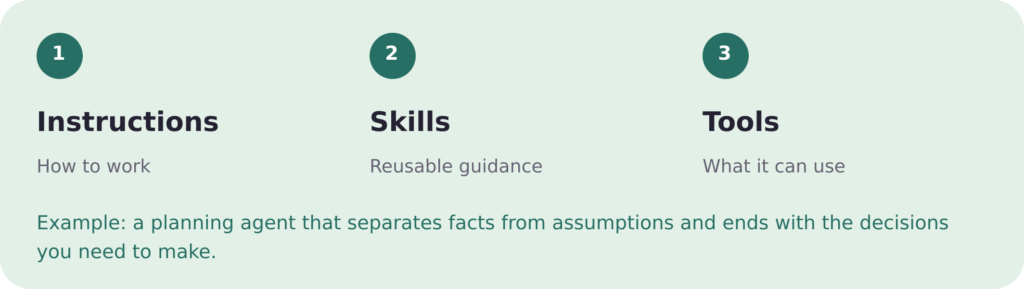
Figure 1. Concept diagram of agent configuration, not a screenshot or a demonstrated planning result.
Separate the interfaces by purpose
“Integration” can refer to several different connections:
- Models: Sage documents OpenAI-compatible Chat Completions, OpenAI Responses, Anthropic Messages, and Gemini GenerateContent interfaces. Features depend on the chosen provider and model.
- Tools: Model Context Protocol (MCP) connects external tool services. Discovering a tool and successfully calling it are separate checks.
- Your application: The Sage-specific Python SDK loads agents and starts tasks. Sage Server also exposes HTTP APIs and AG-UI event streaming.
- Other agents: Server supports authenticated Agent2Agent (A2A) calls, including messages and task retrieval. Its optional dependency is required, and push notifications are unsupported.
These are different interfaces, not a single compatibility guarantee. The model guide, MCP guide, and Server reference describe their host-specific boundaries. For example, Server accepts SSE and Streamable HTTP MCP connections, while Desktop also permits stdio.
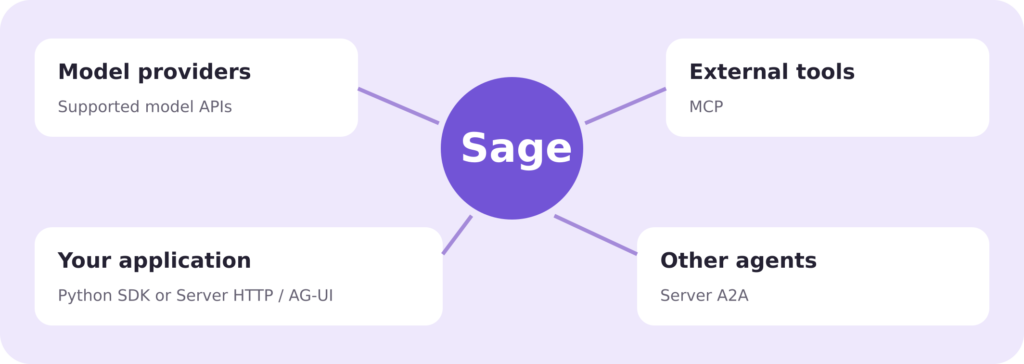
Figure 2. Integration overview. The Python SDK is a library interface; MCP, AG-UI, and A2A serve different protocol roles.
Follow one task through Python
The excerpt below adapts the repository’s quick-start example. It assumes Python 3.12+ and an already configured application. It is not a standalone setup script.
from uuid import uuid4
from sagents.v2 import StartRun
from sagents.v2.contracts.commands import InputItem
from sagents.v2.contracts.items import TextBlock

async def run_task(app, manifest, context, prompt):
    agent = await app.load_agent(manifest)
    message = InputItem(
        role="user", content=(TextBlock(text=prompt),)
    )
    command = StartRun(
        agent_id=agent.id,
        input=(message,),
        resolved_spec_hash=agent.composition_hash,
        idempotency_key=str(uuid4()),
    )
    stream = await app.entrypoint().run_stream(
        command, context, agent=agent
    )
    async for event in stream.events:
        print(event.model_dump_json())
    return await stream.wait()
The four arguments have distinct jobs:
- app: an initialized application built with
SAgentBuilderwithout a package. Its runtime, model route, and credentials must already be configured. - manifest: a validated agent definition referencing the configured model route.
- context: the host’s authenticated
RequestContext, identifying the caller. The application must derive this from its own trusted identity boundary. - prompt: the task text, such as “Which assumptions are missing from this coffee shop plan?” Include the plan’s relevant details in the actual request.
The helper loads the agent, wraps the prompt as a user input item, and builds StartRun. Its resolved_spec_hash uses the loaded agent’s composition hash. The fresh idempotency key identifies this new submission; a retry strategy needs deliberate key handling rather than blindly treating every attempt as a new task.
Observe progress and the result separately
The event loop prints each streamed event as JSON. In an application, those events could feed a progress display. After consuming the stream, await stream.wait() returns the Run result. The original quick start prints that result’s state.
Keep this distinction when designing the UI: progress arriving is not sufficient evidence that the task completed successfully. Inspect the returned state and handle errors or requests for interaction according to the host’s workflow. The host development guide covers the wider lifecycle.
Call the helper from asynchronous application code. The host owns the shared application and must await app.close() at shutdown. The setup guide supplies the omitted configuration; live model calls may incur charges.
For the planning assistant, the first useful check is whether its response separates known facts from missing information. Check that independently from event delivery and final state. A working integration and a useful answer are separate things to validate before adding more tools or relying on the result.
The code excerpt is adapted from Sage under the MIT license, copyright 2024 Zavixai.

